![iam small logo.png]](https://support.iamcompliant.com/hs-fs/hubfs/iam%20small%20logo.png?height=50&name=iam%20small%20logo.png)
What to do if you have forgotten your SSO password -
This would need to be discussed within your internal IT team, as iAM will have no access to make this change unfortunately.
What to do if you are seeing this "invalid credentials" error upon Microsoft SSO sign-in -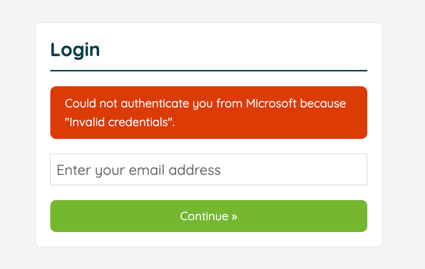
This common error explains that your SSO secret has expired, please raise this to your internal IT team and ask that they generate a new secret within Entra & update the iAM setup.
If you have no access to iAM due to this issue, please email support@iamcompliant.com for further assistance.
Google provisioning issues -
If users have not been provisioned, double check that they are within an OU which is selected within your iAM SSO Setup. If so, scroll to the bottom of your OU list, Click "Update", then scroll down again and click "Trigger user provisioning". 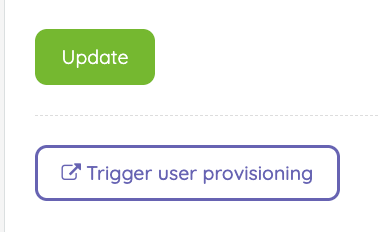
This would force a new sync and pull any further users into the Account without waiting for the next scheduled sync.
If the User is still missing after an hour or so, please contact support@iamcompliant.com for further assistance.
Removing users from iAM through SSO -
Microsoft Entra -
To remove a user from iAM through Microsoft Entra integration, please navigate to the App's Users and Groups page, select the Users and Groups and then click "Remove assignment".
The iAM User will then be deleted within the next 24 hours, iAM runs 1 sync a day which looks for deleted users within Entra and then removes their iAM User.
Google SSO -
To remove a user from iAM through Google SSO, the user needs to be removed from the OU, deleting or suspending the account will not stop the user being synced to iAM.
The iAM User will then be deleted within the next 24 hours, iAM runs 1 sync a day which looks for deleted users within Google and then removes their iAM User.