![iam small logo.png]](https://support.iamcompliant.com/hs-fs/hubfs/iam%20small%20logo.png?height=50&name=iam%20small%20logo.png)
If scheduled medication is not going to be administered, you can record the dose as skipped. This keeps the pupil’s medication record accurate and provides a clear history of why the medication was not given.
To skip one scheduled dose:
-
Go to Incidents > Medication.
-
Locate the relevant scheduled medication.
-
Select Manage.
-
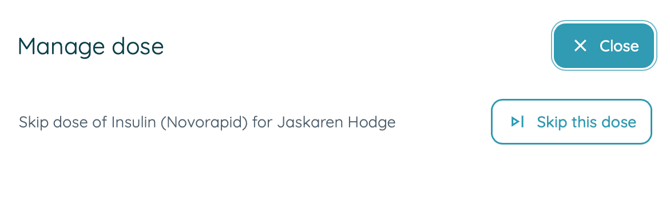
Select Skip this dose.
-
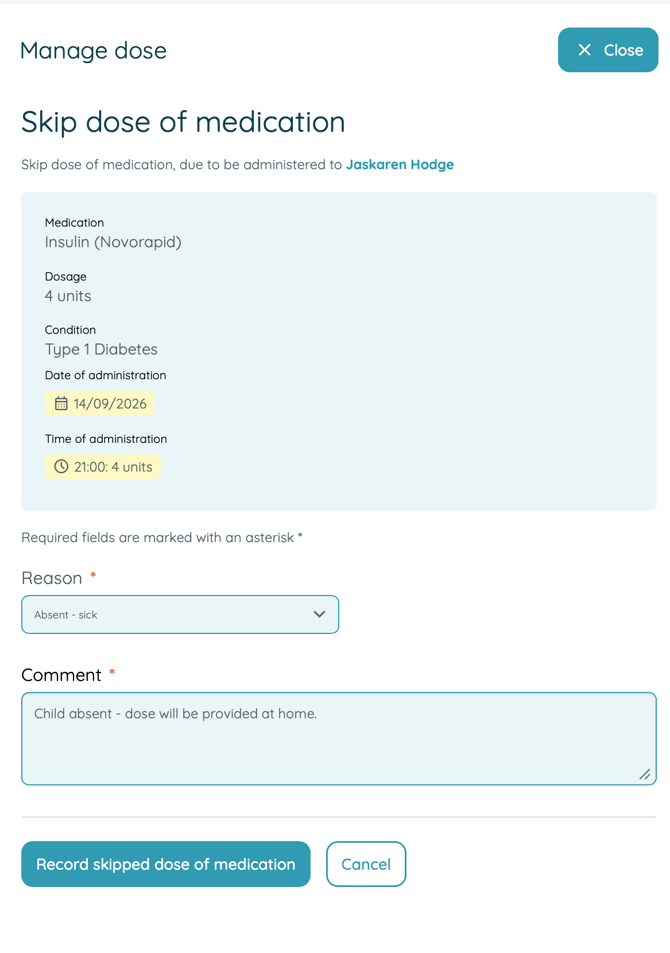
Record the reason the medication was not administered (required)
-
Save the record.
 Skip the remaining doses:
If all remaining scheduled doses for the relevant period will not be administered:
What is the difference between the two options?
Skip this dose should be used when one individual scheduled dose will not be given.
Skip remaining doses can be used when all remaining scheduled doses for the relevant period will not be administered. For example, you may use this where a pupil is absent or off-site and therefore will not receive their remaining medication at school. A reason must be provided.
Why should I record skipped doses?
Recording a skipped dose ensures the medication history accurately reflects what happened and reduces the risk of a missed dose later being mistaken for one that still needs to be administered.