![iam small logo.png]](https://support.iamcompliant.com/hs-fs/hubfs/iam%20small%20logo.png?height=50&name=iam%20small%20logo.png)
Ad hoc medication can be recorded when medication is administered outside of an existing regular planned medication schedule.
This could include medication given as and when needed, such as pain relief, where appropriate.
Please note:
There are a couple of requirements that need to be in place before you can record ad hoc medication:
-
If the medication being issued is not linked to an existing condition, iAM must have access to the pupil’s Next of Kin (NOK)/emergency contact details.
-
If the medication is linked to an existing condition, the medication must already be recorded in iAM before it can be selected against that condition.
-
If any of this required information is missing, an alert will appear on screen and you won’t be able to complete the record until this has been added.
To record ad hoc medication:
-
Go to Incidents > Medication.
-
Select + Log ad hoc administration record.
-
Select the relevant pupil.
-
Complete the required medication and administration information.
-
Save the record.
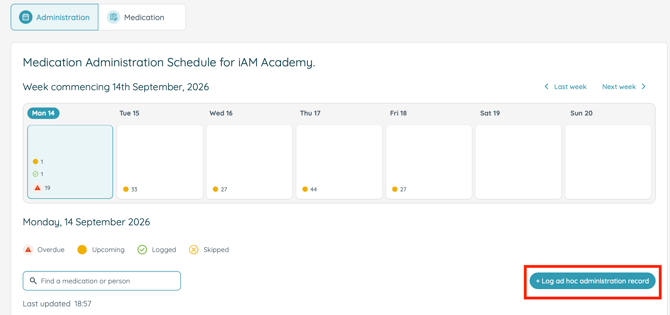
You can also record this from the pupil’s profile by going to Incidents > Register > select pupil > Medication > + Log ad hoc administration record.
What is the difference between scheduled and ad hoc medication?
Scheduled medication has already been set up to be administered at planned times or intervals.
Ad hoc medication is recorded when medication is given outside of a regular schedule.
Will ad hoc medication appear in the pupil’s medication history?
Yes. Once recorded, the administration forms part of the pupil’s medication history alongside their scheduled medication records.