![iam small logo.png]](https://support.iamcompliant.com/hs-fs/hubfs/iam%20small%20logo.png?height=50&name=iam%20small%20logo.png)
It is now possible to add an organisation logo to your iAM account.
How do I add my logo?
-
Log in to your iAM Compliant account.
-
Open your profile menu in the top-right corner and select Settings.
-
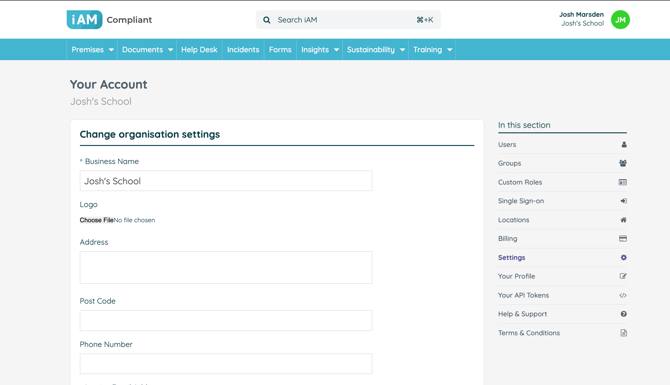
Find the Logo option.
-
Select Logo and choose an image from your device.
-
Save your changes.
Can I add different logos for multiple locations?
Yes! If you have a multi-location account, you can upload a separate logo for each location.
-
Navigate to Locations from the main menu.
-
Select the location you wish to update.
-
Find the Logo option and upload the relevant image.
-
Save your changes.
-
Repeat these steps for any additional locations.
Where will my logo appear?
Once uploaded, your logo will be displayed in relevant areas of the system, including:
-
Commuting Surveys – on your sustainability commuting surveys.
-
Incident Parent Communications – on communications sent to parents relating to incidents.
Can I change my logo?
Yes! You can update your logo at any time by returning to Settings, or the relevant Location for multi-location accounts, and uploading a new image.
Currently, further customisation of your organisation’s branding within iAM Compliant isn’t available. This includes changing the colour scheme or using a custom URL.