![iam small logo.png]](https://support.iamcompliant.com/hs-fs/hubfs/iam%20small%20logo.png?height=50&name=iam%20small%20logo.png)
This is a premium feature available with a full subscription to iAM Compliant
This feature is only available to account owners
Head into your account settings and select 'Your API tokens' from the right hand menu.
Generate a token to feed into your chosen analysis software, and the token will be stored against your user profile. Each account owner can have up to 3 API tokens each.
You are responsible for maintaining the security of your API tokens. They provide access to potentially sensitive information.
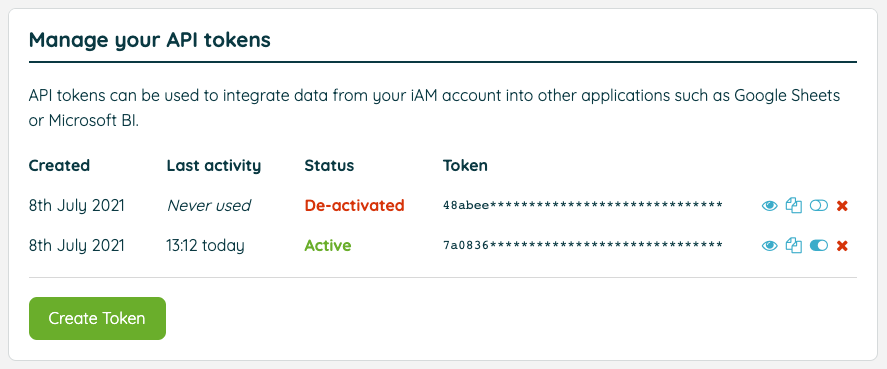
You can deactivate or remove any tokens that you no longer wish to have access to your account.
You may encounter an issue where dates imported into Google Sheets or Microsoft Excel are displayed incorrectly. This is usually caused by the default formatting applied to imported data, and is outside of our control. Applying your preferred date format to these columns will fix this display issue.
If using Power BI to pull this data, please follow these steps within the Power BI Desktop app:
Go to Create > Get Data > New > Text/CSV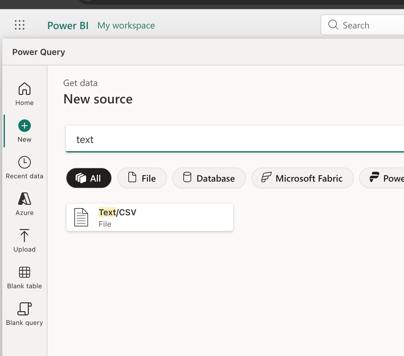
Within the URL field, please enter the chosen API Endpoint, along with the URL parameter and your token, for example:
Example endpoint - https://app.iamcompliant.com/api/1701685226/reports/locations/critical-tasks.csv
URL Parameter -
?api_token=YOUR_TOKEN
Here is an example of a complete URL for PowerBI
https://app.iamcompliant.com/api/1701685226/reports/incident-book.csv?api_token=55b5767e-46cd-493a-a938-cff365821222
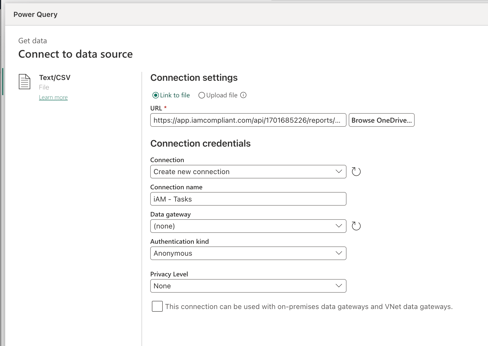
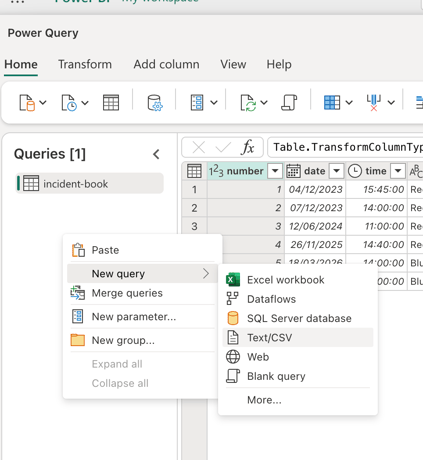
Once the data has been collected, further queries can be added by right clicking the area:
Please create new connections for each query
After you have clicked "create a report" within the bottom right, you will be taken to the design area where you can use the data from iAM's API.
Once this has been saved, please click "View semantic model":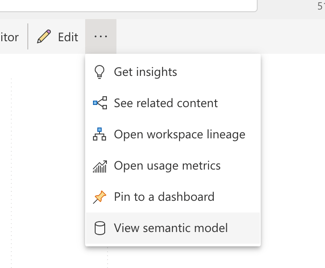
Then click "Schedule refresh":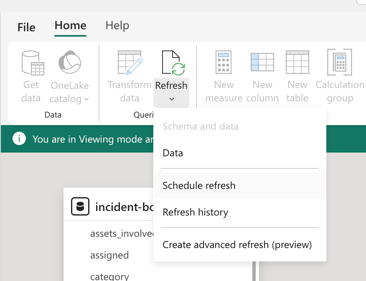
Click on the "Refresh" tab within the list, from here you can enable an automatic refresh from Power BI to pull new data through the iAM API: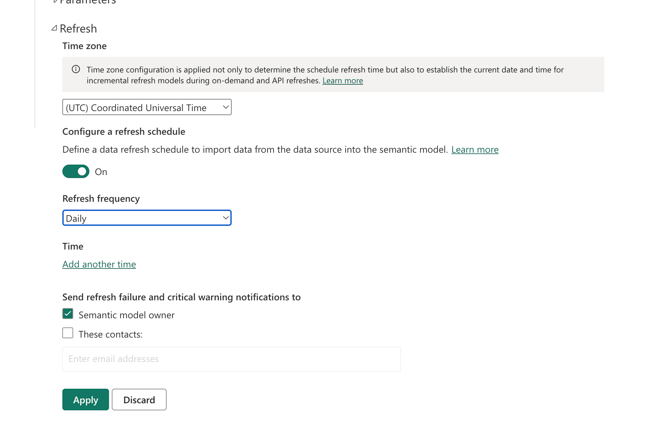
If your Refresh area is greyed out, please click the cog in the top right of the page and go to manage connections and gateways: 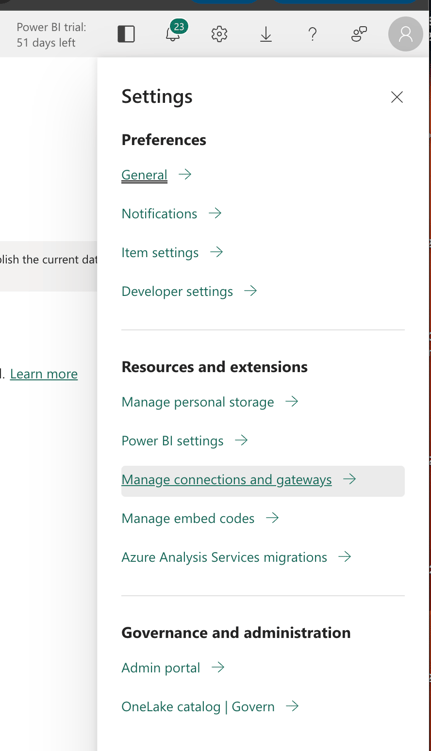
Click on the failed connection and go to settings:
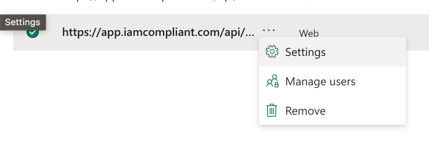
Change the Authentication method to "Anonymous" and the Privacy level to "None":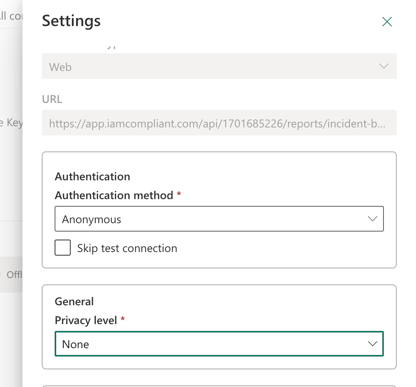
Save the changes and re-test the connection.
Once showing as "Online", you can re-visit the semantic model > Schedule refresh > Refresh.
